USB 2.0 vs. 3.0: Speed and More
As we already covered, data transfer rates are a key differentiator between these two generations. But speed isn't the only thing that separates these technologies. They also differ in design and a few other ways.
- Speed -- USB 2.0 offers a transfer rate of about 480 Mbps, whereas USB 3.0 offers a transfer rate of about 4,800 Mbps which is equal to about 5 GB. This super-fast transfer speed of USB 3.0 can be especially useful when backing up or transferring large amounts of data, such as an external hard drive. (It should be noted that these are the maximum speeds reflecting 'perfect' conditions, actual speeds will be lower.)
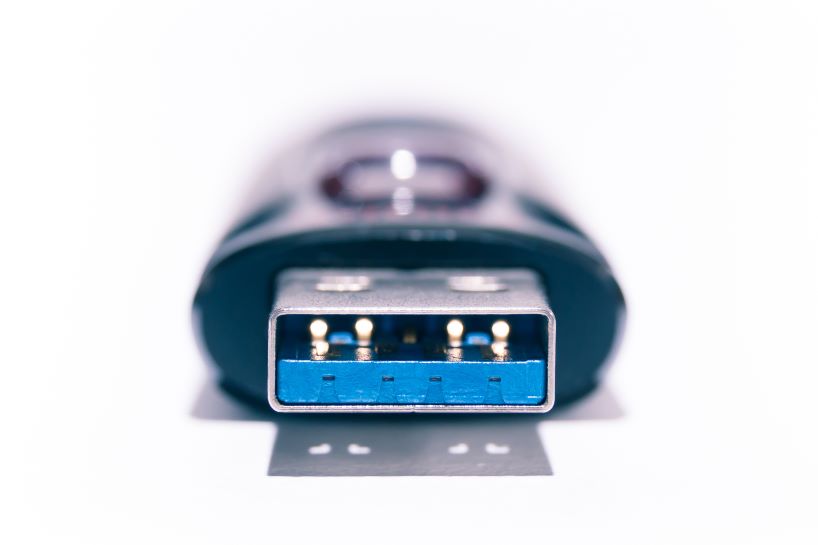
- Connector Wires -- USB 2.0 has four connector wires, whereas USB 3.0 has nine, which increases speed and bandwidth.
- Power Output and Efficiency -- USB 3.0 brings more power and operates at improved power efficiency than its older counterpart.
- Backward Compatibility -- USB 3.0 ports are also totally backward compatible, which means they will work with other USB versions, including 2.0. This means that when you plug a USB 2.0 drive into a 3.0 port, it will work. However, if you plug a USB 3.0 drive into a USB 2.0 port, it will be limited to the max speed of USB 2.0.
- Interior Color -- To tell the difference between these two technologies with a quick glance, look for a black or blue block inside the port. The black interior indicates USB 2.0, while the blue one indicates 3.0.
Here's a spec-by-spec comparison of USB 2.0 vs. USB 3.0 for quick reference:
| Specification | USB 2.0 | USB 3.0 |
| Released | 2000 | 2008 |
| Transfer Rate (Speed) | 480 Mbps | 4,800 Mbps |
| Maximum Cable Length | 30 M | 18 M |
| Number of Connectors | 4 | 9 |
| Power Usage | 500 mA | 900 mA |
| Block Color | Black | Blue |
So Which Is Best, USB 2.0 or USB 3.0?
It's safe to say USB 3.0 out performs USB 2.0 in every category that matters. However, it may come at a price. As you might expect, you will pay more for USB 3.0 devices than USB 2.0 devices, so it's important to figure out if you actually need the faster option for your specific application. If you're not working with a huge amount of data, there's no reason to pay extra for the faster speeds.


